Security policies
Headlockr 5 adds a broader security policy layer on top of MFA methods. Administrators can now enforce MFA enrollment, expire passwords, and react to breached password detections.
MFA Enforcement policy
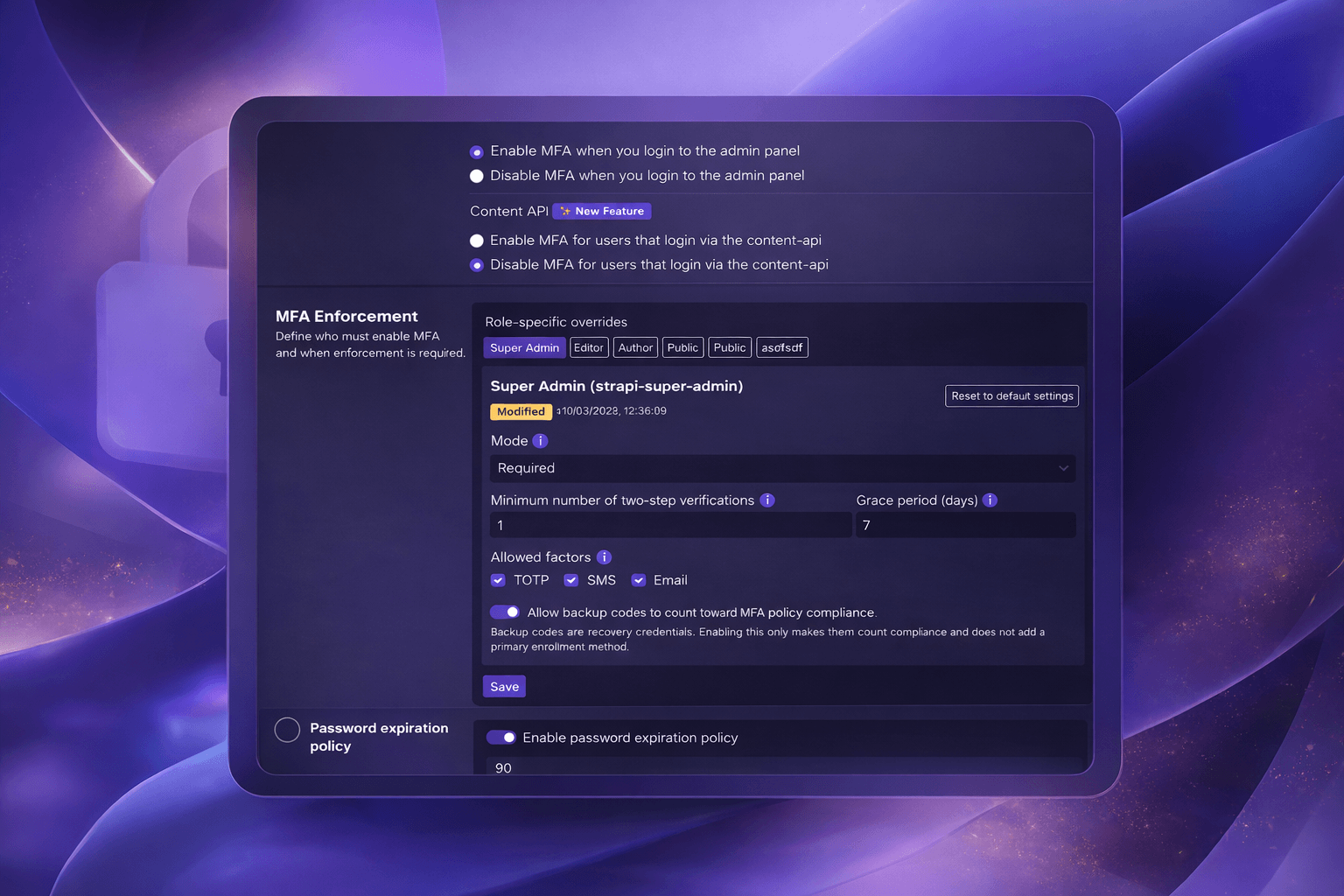
The MFA Enforcement policy allows administrators to require MFA for specific roles with fine-grained enrollment rules.
What administrators can control
- Enforce MFA globally or per role
- Set the policy mode to
off,optional, orrequired - Define how many enrolled factors are required
- Configure a grace period for new users
- Restrict which factors are allowed during enrollment
Supported enrollment factors
The current enrollment policy supports these factors:
totpsmsemailbackupcodes
If a factor is not allowed by policy, Headlockr blocks enrollment for that factor.
Grace period behavior
When a role requires MFA, Headlockr can still allow login temporarily during the configured grace period. After the deadline passes, users must complete enrollment before they can continue.
Password Expiration policy
Administrators can enable a password expiration policy that forces users to rotate their password after a configurable number of days.

Default behavior
- The policy is stored in the Headlockr plugin store
- The default maximum password age is
90days passwordChangedAtis tracked for admin users and updated when their password changes
When a password is expired, Headlockr flags the account and pushes the user into a reset-password flow before normal access continues.
Have I Been Pwned integration
Headlockr also checks passwords against the Have I Been Pwned password breach corpus during login.

Current behavior
- Passwords are checked through the HIBP k-anonymity range API only after primary password authentication succeeds
- When a breached password is detected, Headlockr flags the session
- Selected Super Admins are notified by email when notifications are enabled
- The affected user can be redirected into a password reset flow
Disabling notifications does not disable breached password detection or the forced password reset flow. Existing installations initially select all current active Super Admins. Super Admins added later must be selected explicitly in the Headlockr settings page.
Plugin configuration
The notification toggle and recipient list can optionally be controlled from config/plugins.js:
headlockr: {
  config: {
    breachedPasswordNotifications: {
      enabled: true,
      recipientEmails: ["security@example.com"],
    },
  },
},
Both fields are optional and override only their matching admin setting. When enabled is present, the toggle is read-only in the admin panel. When recipientEmails is present, the recipient selection is read-only. An empty recipient list sends no notification. Only email addresses belonging to current, active Super Admins are eligible.
Current scope
At the moment, breached password detection is checked on login. Future Headlockr versions may extend this to more actions such as password reset, registration, and other security-sensitive actions inside Strapi.